
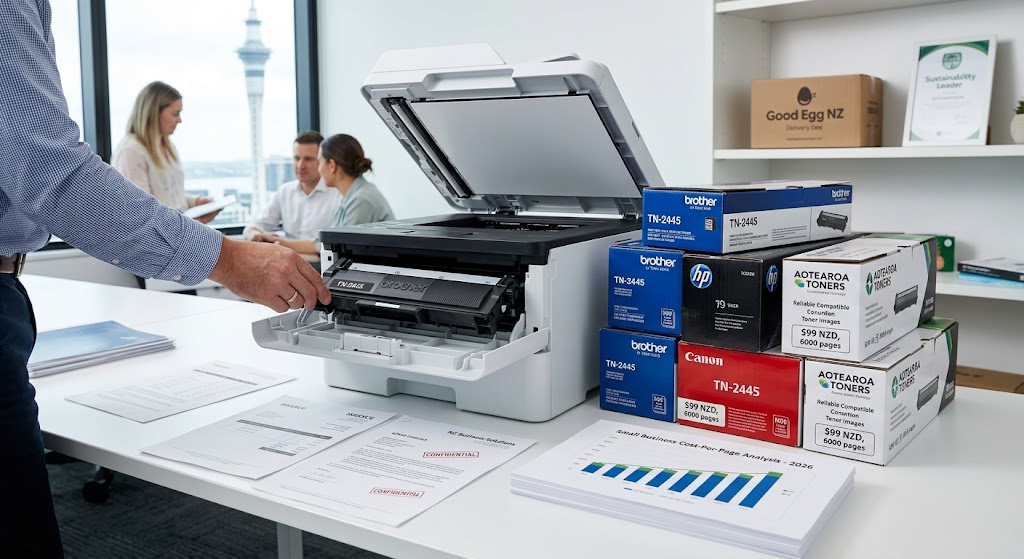
Running a small business in New Zealand requires keeping everyday operational costs low without compromising on document presentation. Whether printing high-volume invoices, client contracts, or colorful marketing materials, selecting the correct toner cartridge directly impacts your bottom line. Laser printing remains the go-to solution for Kiwi SMBs due to its speed, durability, and sharp text rendering. However, with dozens of toner options on the market, choosing the right combination of yield, brand, and supplier can be confusing. This guide breaks down everything you need to know to secure the best toner for your small business in New Zealand.
Understanding Cost-Per-Page for Kiwi Small Businesses
The purchase price of a toner cartridge only tells half the story. The true indicator of value for any small business is the Cost-Per-Page (CPP). Calculating CPP allows you to measure long-term printing expenses accurately:
$$\text{CPP} = \frac{\text{Price of Toner Cartridge (NZD)}}{\text{Estimated Page Yield}}$$
Standard yield cartridges generally carry a lower upfront cost, making them appealing for cash-strapped startups. However, high-yield (XL) or extra-high-yield cartridges provide significantly more pages per unit, dropping the CPP by as much as 30% to 50%. For a business printing hundreds of pages a week, choosing high-yield options yields substantial annual savings.
Genuine OEM vs. Compatible Toner Cartridges
One of the biggest decisions Kiwi business owners face is choosing between Original Equipment Manufacturer (OEM) toner and third-party compatible toner cartridges.
- Genuine OEM Toner: Manufactured directly by brand names like Brother, HP, Canon, and Kyocera. OEM cartridges guarantee peak print quality, vibrant color precision, and zero risk to printer warranties. They are ideal for high-stakes external documents, promotional graphics, and client-facing presentations.
- Compatible Toner Cartridges: Produced by third-party manufacturers to meet original factory specifications. Quality compatible toners cost up to 60% less than OEM equivalents. They provide an economical solution for everyday internal printing, such as packing slips, drafts, and administrative forms.
Top Recommended Toner Brands for New Zealand Workplaces
Choosing the right toner depends heavily on your printer hardware fleet. The most popular, reliable, and cost-effective toner lines for New Zealand businesses include:
| Brand | Popular Series | Best For | Key Advantage |
| Brother | TN-2445 / TN-237 | High-volume mono & color office printing | Outstanding reliability & wide third-party availability |
| HP | LaserJet Enterprise / Pro 4000 series | Fast-paced office environments | Built-in JetIntelligence security and quick page output |
| Kyocera | ECOSYS Toner Series | Sustainable, ultra-low CCP environments | High page yields with minimal drum wear |
| Canon | imageCLASS Cartridges | Graphic heavy and crisp text printing | Exceptional color fidelity and dark black text |
Key Features to Look For When Buying Toner
To maximize your office budget and avoid technical headaches, evaluate these crucial features before buying:
- Page Yield Rating: Check ISO/IEC standard yield numbers to ensure realistic performance expectations.
- Shelf Life: Unopened toner cartridges generally last between 24 to 36 months when stored in a dry, room-temperature location.
- Recycling Options: Look for brands that offer return programs to reduce plastic waste across Aotearoa.
- Microchip Compatibility: Ensure compatible cartridges feature up-to-date smart chips to prevent printer firmware lockouts.
Where to Buy Toner for Small Businesses in NZ
Sourcing toner locally ensures fast overnight delivery and dependable customer service. Prominent NZ suppliers include Ink Shop NZ, Inktoner nz, Print Ink, and PB Tech. Most offer dedicated business trade accounts, GST invoicing, free nationwide delivery on orders over minimum thresholds, and bulk volume discounts.
How to Prolong Your Toner Cartridge Life
Small businesses can stretch their printing budget further by adopting simple operational habits:
- Use Draft Mode: Enable “Toner Save” or draft settings for routine internal paperwork.
- Print in Monochrome: Set default printer preferences to black-and-white to prevent accidental color toner usage on plain text files.
- Rock the Cartridge: When the printer alerts low toner, remove the cartridge and gently rock it side-to-side to redistribute remaining powder before replacing it.
Would you like tailored toner recommendations based on your specific printer model or monthly printing volume?