
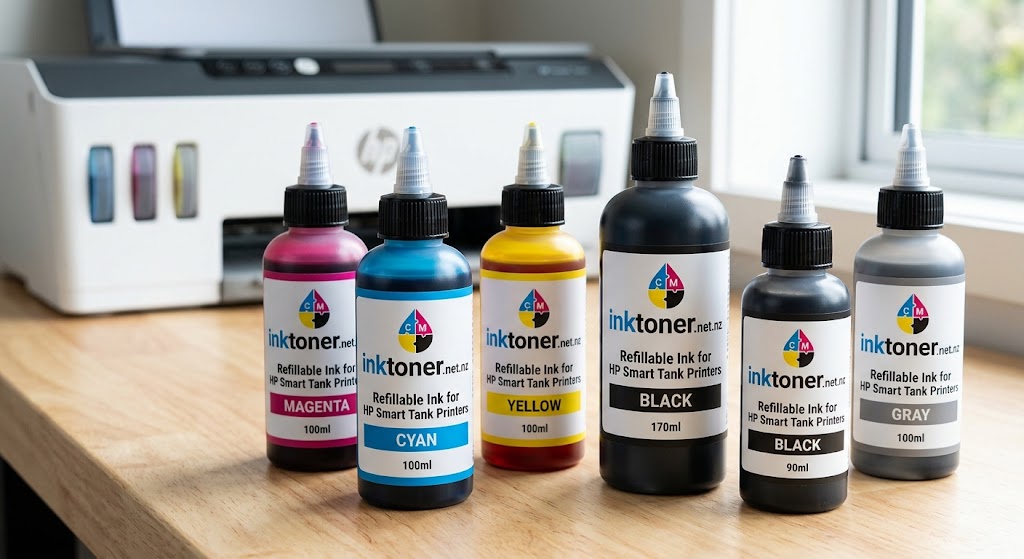
HP 31 HP 32 Refillable Ink for HP Smart Tank Printers: Complete NZ Guide
If you own an HP Smart Tank printer and regularly print documents, schoolwork, invoices, business paperwork or colour pages, choosing the right refillable ink can make ongoing printing simpler and more economical. HP 31 and HP 32 refillable ink for HP Smart Tank printers is a popular option for users looking for compatible ink bottles rather than conventional disposable cartridges.
This guide explains what HP 31 and HP 32 ink is, which compatible HP Smart Tank printers are listed for these inks, how refillable ink works, what to check before ordering and how to get the best results from your printer.
What Are HP 31 and HP 32 Refillable Ink Bottles?
HP 31 and HP 32 are ink specifications associated with compatible HP Smart Tank printer systems. According to the Inktoner product listing, HP 31 is black, while HP 32 is available in cyan, magenta and yellow. The listed compatible ink bottles are designed for printers with refillable reservoirs.
For New Zealand printer owners, refillable ink can be a convenient solution because Smart Tank printers are designed around an ink-tank system. Instead of replacing a conventional cartridge after the ink has been consumed, users replenish the appropriate tank with compatible ink.
If you are specifically looking for the product, you can view the HP 31 CYM HP 32 Black Smart Tank Ink Bottles from Inktoner.
Which HP Smart Tank Printers Use HP 31 and HP 32 Ink?
Compatibility is one of the most important things to check before buying refill ink. Inktoner’s current product listing identifies a range of compatible HP Smart Tank printers, including models such as:
- HP Smart Tank 502
- HP Smart Tank 514
- HP Smart Tank 517
- HP Smart Tank 724
- HP Smart Tank 727
- HP Smart Tank 754
- HP Smart Tank 794
- HP Smart Tank 5105
- HP Smart Tank 5106
- HP Smart Tank 7005
- HP Smart Tank 7006
- HP Smart Tank 7305
- HP Smart Tank 7306
- HP Smart Tank 7601
- HP Smart Tank 7602
- HP Smart Tank 7605
- HP Smart Tank 7606
- HP Smart Tank Plus 551
- HP Smart Tank Plus 571
- HP Smart Tank Wireless 450
- HP Smart Tank Wireless 455
The supplier also lists shortened model references corresponding to several of these printers.
Always check your exact printer model before ordering. Even when two printers look similar, their ink requirements can differ.
HP 31 Black and HP 32 Colour Ink Explained
Understanding the colour configuration makes ordering easier.
HP 31 Black Ink
HP 31 is listed by Inktoner as black ink for compatible Smart Tank printers. Black ink is typically used for text-heavy printing such as:
- Letters
- Invoices
- Reports
- School assignments
- Forms
- Business documents
- General office printing
Inktoner’s HP 31/32 listing identifies the product as premium compatible universal dye ink and gives a listed yield of up to 6,000 pages. Actual page yield can vary according to printer model, print settings and page coverage.
HP 32 Colour Ink
HP 32 is listed for cyan, magenta and yellow. These three colours combine to produce a wide range of colours when printing graphics, charts, presentations and other colour documents.
You can purchase individual colours or select the value-pack/full-set option where available.
Why Choose Refillable Ink for an HP Smart Tank Printer?
One of the main reasons people choose Smart Tank printers is the refillable reservoir design.
For users who print frequently, refillable ink can provide several practical advantages.
1. Convenient Ink Refilling
When the ink level becomes low, you can replenish the appropriate tank rather than replacing a traditional cartridge.
This can be particularly useful in:
- Home offices
- Small businesses
- Schools
- Student households
- Reception areas
- Retail businesses
- Administration offices
2. Designed for Regular Printing
People who print frequently may find a refillable tank system more convenient than buying replacement cartridges repeatedly.
Having spare ink bottles available can also help prevent interruptions when a printer becomes low on ink.
3. Choice of Individual Colours
Depending on the product option, HP 31/32 refill ink can be purchased by colour. This means you can replace the colour you actually need rather than automatically buying a complete set.
How to Choose the Correct HP 31 HP 32 Refill Ink
The safest way to purchase printer ink is to follow a simple three-step process:
Step 1: Identify your printer model.
Look at the front, rear or information label on your printer and find the complete model name.
Step 2: Confirm the ink specification.
Check whether your printer uses HP 31/32 refillable ink.
Step 3: Select the required colour.
Choose black, cyan, magenta, yellow or a complete set according to your requirements.
If you are unsure how to identify your printer’s cartridge or ink model, Inktoner’s guide How to Find Your Printer Cartridge Model Fast explains several ways to locate the correct model and cartridge information.
HP 31 HP 32 Refillable Ink for New Zealand Customers
For New Zealand customers, purchasing compatible printer ink online can be a convenient way to maintain a regular printing supply.
Inktoner identifies itself as a New Zealand-registered supplier based in Manurewa, Auckland, and states that it supplies compatible printing products across New Zealand.
You can also browse the Inktoner HP printer ink and toner range to compare other HP-compatible printing products.
When comparing refill ink, don’t look at price alone. Consider:
- Exact printer compatibility
- Correct ink colour
- Ink formulation
- Bottle capacity
- Expected page yield
- Supplier warranty or returns
- Delivery options
- Whether individual colours or full sets are available
How to Refill an HP Smart Tank Printer
The exact refill procedure varies by printer model, so always follow the instructions provided for your particular HP Smart Tank.
Generally, the process involves:
- Check the printer’s current ink level.
- Identify the tank that requires ink.
- Confirm the bottle colour.
- Open the tank according to the printer instructions.
- Carefully position the compatible ink bottle.
- Add the required ink without overfilling.
- Close the tank securely.
- Check for leaks or spills.
- Run a print-quality test if necessary.
Avoid mixing colours or accidentally putting the wrong colour into a tank. If an incorrect colour is added, continuing to print can potentially cause poor colour reproduction or other ink-system issues.
Tips for Getting Better Print Results
Correct ink selection is important, but printer maintenance also matters.
Print Regularly
If an inkjet printer is left unused for a long time, ink can dry around components of the printing system. Occasional printing can help keep the system operating normally.
Use Appropriate Print Settings
For everyday documents, standard settings may be sufficient. For important colour graphics, you may want to use a higher-quality print setting.
Keep Ink Bottles Clean
Keep the bottle nozzle and printer tank area clean. Avoid introducing dust or other contaminants into the ink system.
Store Unused Ink Properly
Keep unused bottles sealed and follow the supplier’s storage recommendations. Avoid unnecessary exposure to extreme heat, direct sunlight and contamination.
How Much Can HP 31 HP 32 Ink Print?
The Inktoner HP 31/32 listing states a 6,000-page yield.
However, page yields should not be interpreted as a guaranteed number of pages for every user. Actual ink consumption depends on factors such as:
- Amount of text on each page
- Colour coverage
- Graphics and photographs
- Print-quality settings
- Printer maintenance
- Frequency of printing
A page containing a small amount of black text will generally consume less ink than a page containing large areas of colour.
HP 32 Black Smart Tank Ink Option
For customers specifically looking for black ink, Inktoner also has a dedicated HP 32 Black Smart Tank Ink Bottle Compatible product listing. The page identifies compatible HP Smart Tank models and lists a 6,000-page yield.
Before purchasing, compare the ink code against your printer’s documentation and existing ink specification.
Are Compatible Refill Inks Worth Considering?
Compatible refill ink can be an option for customers looking to manage ongoing printing expenses. The important factor is selecting a product that is specifically listed for the printer you own.
Inktoner’s broader printer supplies range includes compatible cartridges, refill inks, toner and other printer consumables.
Rather than choosing a refill bottle simply because it is inexpensive, check the complete compatibility information first.
Common Questions About HP 31 HP 32 Refillable Ink
Is HP 31 black ink?
Inktoner’s current product listing identifies HP 31 as black ink for the compatible Smart Tank ink-bottle range.
Is HP 32 colour ink?
The HP 31/32 product listing identifies HP 32 for cyan, magenta and yellow.
Can I use HP 31/32 ink in every HP Smart Tank printer?
No. Compatibility depends on the specific printer model. Check the model list and confirm your printer before ordering.
Can I buy individual HP 32 colours?
The Inktoner listing provides colour selection for black, cyan, magenta and yellow, along with a value-pack/full-set option.
How do I know which ink my printer needs?
Start with the exact HP Smart Tank model and then confirm the required ink number and colour. Inktoner’s printer cartridge model guide provides additional guidance for identifying printer and cartridge information.
Final Thoughts
HP 31 HP 32 refillable ink for HP Smart Tank printers can be a practical choice for New Zealand households, students, home offices and businesses that regularly use their printers.
HP 31 is listed as black, while HP 32 covers cyan, magenta and yellow in the compatible Inktoner range. The listed products are intended for refillable-reservoir Smart Tank printers and include a broad selection of compatible models.
Before ordering, the most important step is to check your exact HP Smart Tank printer model and required ink specification. Once compatibility has been confirmed, choosing the correct colour and quantity can help keep your printer ready for everyday printing.