

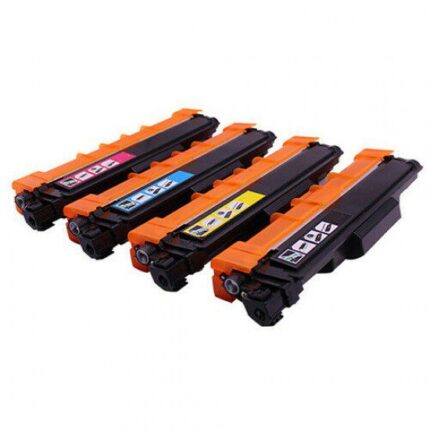
Genuine Brother TN851 Yellow Toner
Genuine Brother TN851 yellow toner is an original Brother printing supply for supported Brother laser printers. This Brother TN851 yellow toner is intended for regular colour document printing at home, school, work or business. The TN851 code identifies the required yellow toner cartridge, so checking the code shown in your printer documentation is important before ordering. Using the correct Brother TN851 yellow toner helps keep the printer supplied with the required yellow printing material and avoids ordering an incompatible cartridge.
The genuine Brother TN851 yellow toner is supplied for the printer models listed below. Printer families can have different toner requirements even when machines look similar, so always compare the exact model number with your existing cartridge. If your printer is not listed, confirm compatibility before purchase.
Key Features
- Genuine Brother TN851 yellow toner.
- Original Brother toner cartridge.
- Yellow toner for supported colour laser printers.
- Designed for routine colour document printing.
- Suitable for home, office, school and business use.
- Check printer model and TN851 code before ordering.
Compatible Printer Models
- Brother HL-L8260CDW
- Brother HL-L8360CDW
- Brother MFC-L8690CDW
- Brother MFC-L8900CDW
Confirm the exact printer model and cartridge code before installation because regional versions can differ.
Why Choose Genuine TN851 Yellow Toner?
Genuine Brother TN851 yellow toner is an original manufacturer consumable designed for supported Brother printers. The TN851 identification makes it easier to match the cartridge with the printer’s required toner. Choosing the correct Brother TN851 yellow toner reduces the risk of purchasing an incorrect cartridge and supports the printer’s normal colour printing setup. Keeping the correct replacement available can help avoid interruptions to routine printing.
Because this is a genuine Brother product, it is supplied as an original manufacturer cartridge rather than a compatible replacement. Check the product code and printer model carefully before purchase.
Installation
Open the printer’s toner access area according to Brother’s instructions. Remove the used yellow toner assembly carefully. Prepare the genuine Brother TN851 cartridge as directed and install it into the matching position or drum assembly where applicable. Close the printer and allow it to complete its normal recognition process. Print a test page and follow any on-screen instructions.
Before Ordering
Check your exact Brother printer model and confirm that TN851 yellow toner is required. Do not substitute a cartridge simply because another Brother model looks similar. If your printer is not listed, verify compatibility before ordering.
For New Zealand Customers
This genuine Brother TN851 yellow toner is listed for New Zealand customers using supported Brother laser printers. Use the exact printer model and TN851 code when selecting the product.
Frequently Asked Questions
Is this genuine Brother toner?
Yes. This listing is for genuine Brother TN851 yellow toner.
What colour is the toner?
Yellow.
Which printers are listed?
HL-L8260CDW, HL-L8360CDW, MFC-L8690CDW and MFC-L8900CDW.
What should I check before buying?
Confirm the printer model and TN851 cartridge code.




Reviews
There are no reviews yet.