
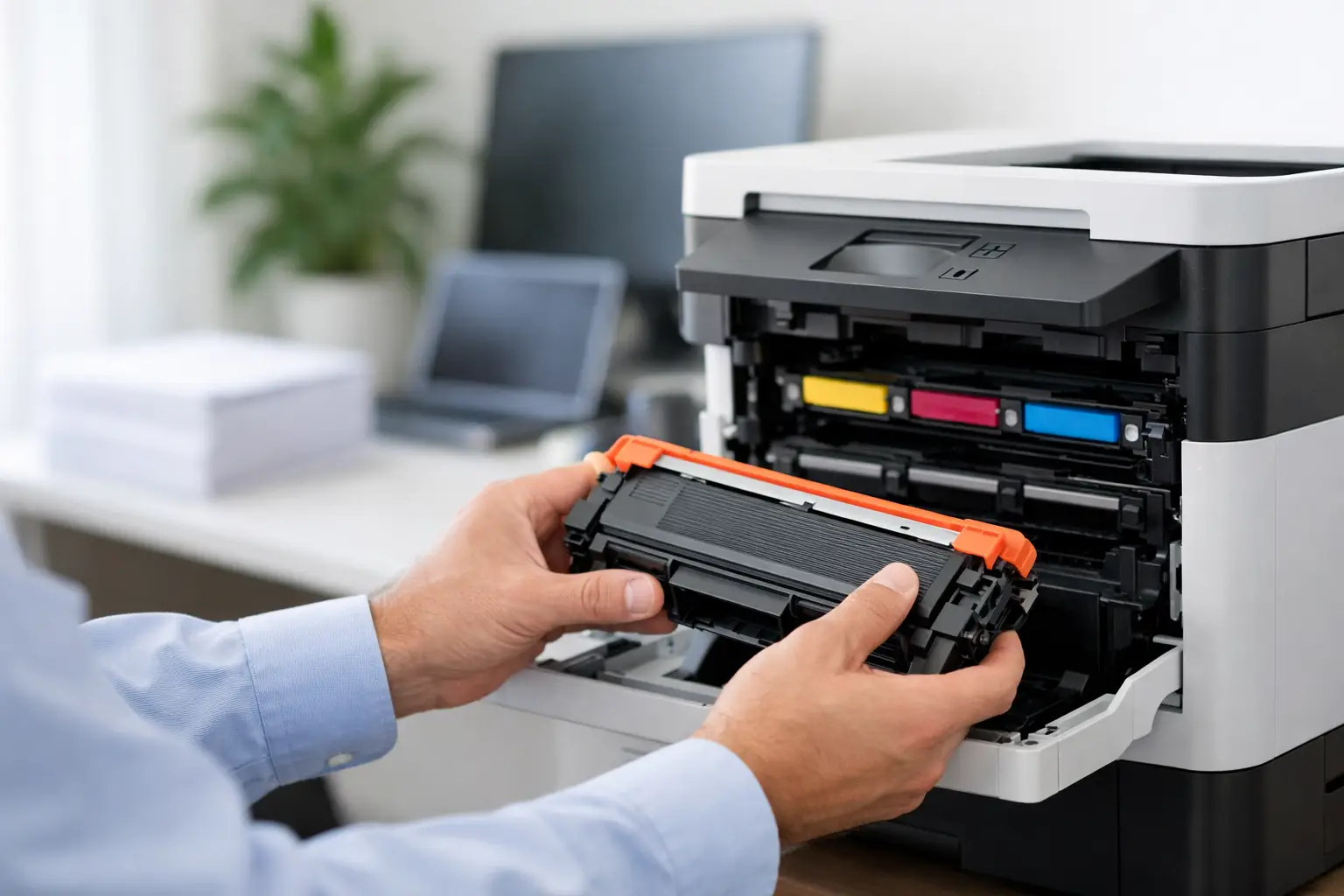
A printer warning can bring a busy workday to a stop at exactly the wrong moment. Whether you are printing invoices, school assignments, shipping documents, or customer paperwork, a brother toner replacement should be quick, accurate, and affordable. The key is not simply choosing a cartridge that looks similar. It is matching the right toner code to your specific Brother printer, then selecting a dependable option that fits the way you print.
Start With Your Brother Printer Model
Brother laser printers use different toner families, and the printer name alone is not always enough to identify the right supply. A compact monochrome printer, a high-volume office machine, and a color multifunction printer may all require completely different cartridges.
The most reliable place to begin is the printer model shown on the front of the machine or in its settings menu. It may look like HL-L2350DW, DCP-L2550DW, MFC-L3770CDW, or a similar code. Once you have that model, check the toner cartridge number listed in the printer manual, on the existing cartridge label, or in the printer’s supply information screen.
This extra minute of checking avoids the most common replacement mistake: ordering toner for a printer in the same series but with a different cartridge system. Brother models can appear nearly identical while using incompatible toner or drum units.
Understand Toner, Drum Units, and What Needs Replacing
Many Brother laser printers use a separate toner cartridge and drum unit. This is useful because the toner and drum do not run out at the same time. Toner contains the powder used to create text and images. The drum is the component that transfers that toner to the page.
When your printer displays a low-toner or replace-toner message, you normally need a toner cartridge. If it displays a replace-drum message, has faded patches, repeated marks, streaks, or print quality issues that continue after changing toner, the drum unit may need attention instead.
It depends on your model and printing habits. A toner cartridge may last for thousands of pages, while a drum unit can often serve through several toner changes. Replacing both at once when only toner is low adds unnecessary cost. On the other hand, continuing to use a worn drum can make a fresh toner cartridge look disappointing.
Before placing an order, look for these details:
- Your full Brother printer model number
- The toner cartridge code, such as TN-series or another model-specific code
- Whether your printer uses black toner only or separate black, cyan, magenta, and yellow cartridges
- Whether the printer has prompted you to replace toner, the drum, or both
Keeping the old cartridge nearby while you shop is a simple way to confirm the code and cartridge shape.
Standard and High-Yield Toner: Which Is Better?
Brother often offers standard-yield and high-yield toner options for the same printer. The standard cartridge has a lower upfront price and can suit occasional home printing. High-yield toner costs more initially but delivers more pages, reducing the cost per page for people who print regularly.
For a student printing a few assignments each month, standard yield may be the sensible choice. For a home office, retail counter, school administration area, or small business printing invoices and packing slips every day, high-yield toner is usually better value. It also means fewer interruptions and fewer last-minute supply orders.
Page-yield figures are useful for comparison, but they are estimates based on standard test coverage. A page of plain black text uses much less toner than a page with heavy graphics, bold headings, or large images. Color printing can vary even more. Treat yield as a guide to relative value rather than an exact promise of how many sheets you will receive.
Why Compatible Brother Toner Can Be a Smart Choice
Compatible toner is designed to work with named printer models without carrying the original equipment manufacturer price. For households and businesses watching every operating expense, it can offer a practical way to keep laser printing costs manageable.
A good compatible cartridge should be made for the correct printer and cartridge code, packaged securely, and checked for reliable output. The goal is straightforward: crisp documents, consistent page coverage, and a cartridge that installs without a complicated process.
The trade-off is that quality varies between suppliers. The cheapest option is not always the best value if it produces light text, leaks toner, fails to register, or does not meet the advertised yield. Buy from a specialist supplier that clearly identifies compatible printer models, carries the relevant toner and drum options, and stands behind its products with a fair return or replacement policy.
Inktoner Cartridge focuses on compatible printing supplies for people who need dependable results without paying more than necessary. Choosing a trusted supplier gives you the confidence to use affordable alternatives while keeping routine printing moving.
How to Replace a Brother Toner Cartridge
Most Brother toner replacements are simple, but clean handling matters. Start by leaving the printer on until it finishes any current job, then open the front cover. Remove the toner and drum assembly as one unit if your model uses separate components.
Set the assembly on a sheet of paper or a disposable surface. Release the old toner cartridge from the drum unit using the colored lock lever or release tab. Avoid touching the drum surface, as fingerprints, scratches, and bright light can affect print quality.
Take the new cartridge from its packaging and gently rock it side to side several times. This spreads toner evenly inside the cartridge. Remove any protective cover or sealing strip as directed, then fit the cartridge firmly into the drum unit until it clicks into place.
If you are using the existing drum unit, slide the green corona wire tab from side to side several times, then return it to its home position. This step helps prevent lines or streaks caused by buildup on the corona wire. Reinstall the complete assembly, close the cover, and wait for the printer to return to ready status.
Some Brother printers automatically recognize the new toner. Others require a toner reset through the control panel, especially if the cartridge was replaced before the printer reached its empty-toner threshold. Follow your model’s display instructions rather than forcing a reset at random.
Fix Common Problems Before Ordering Again
If a new toner cartridge does not print correctly, the cartridge may not be the only cause. First, make sure all packaging materials and protective strips were removed. Then remove and reinstall the cartridge and drum assembly carefully, checking that it clicks into position.
Light or uneven printing may improve after gently rocking the toner cartridge. Vertical lines, repeating marks, or gray background shading can point to a dirty corona wire, worn drum, or loose toner inside the printer. Clean only the parts your printer documentation identifies, and avoid using household vacuum cleaners or compressed air inside the machine, as toner powder can spread easily.
A printer that says it cannot detect toner may need the cartridge reseated or the toner counter reset. If the message remains after those checks, confirm that the cartridge code is correct for your exact model. This is where buying by both printer model and toner code makes replacement much less frustrating.
Keep a Spare Without Tying Up Your Budget
Running toner all the way to empty is risky when printing is part of your daily routine. A spare cartridge on hand can prevent missed deadlines, delayed orders, and unnecessary trips to find supplies locally. This matters most for small businesses that depend on printed invoices, labels, forms, or customer documents.
There is no need to overstock. Toner is a dry powder, and sealed cartridges generally store well when kept in a cool, dry place away from direct sunlight. Order one backup cartridge for a frequently used monochrome printer, or maintain a practical reserve of the colors your office uses most. If your printer uses a separate drum unit, keep its expected replacement cycle in mind too.
The right brother toner replacement is the one that matches your machine, suits your print volume, and arrives before your supply becomes an emergency. Check the model, confirm the cartridge code, choose the yield that makes financial sense, and keep one dependable spare ready for the next busy day.